MissionLayer GovAccess

How it works · ADA Title II documents

Fix your PDFs for screen readers, step by step

The documents your city, county or district posts are covered by the ADA Title II web rule, with some exceptions. Here is the whole path, on the real screens: try one PDF free, make an account with 50 free pages, fix a folder, check what is left, and buy credits when you need more. From $0.45 a page. Pay per page. No subscription. Credits don't expire. A file that cannot be fixed costs nothing.

Try one PDF freeCreate a free accountPrices

  1. Step 1 of 9 · Try it

    Step 1: Try one PDF, free

    Open Fix one PDF free and choose one PDF. No account is needed.

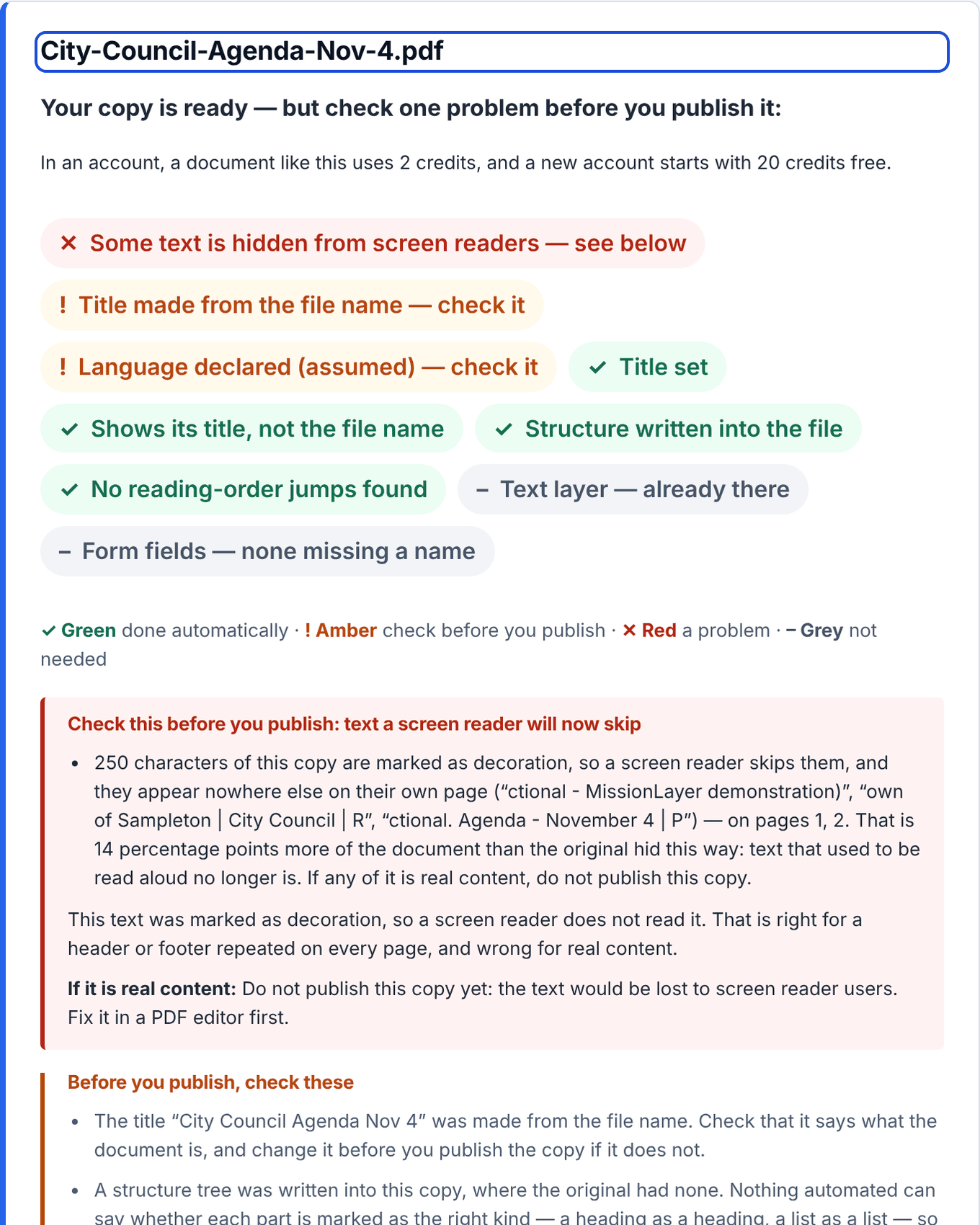
    In a minute you see what was done, in colours and marks: green (✓) was done automatically, amber (!) needs you or was not checked, red (✕) is still a problem, and grey (–) was not needed. Leave your work email and the fixed copy downloads; the file itself is not kept.

    Costs nothing
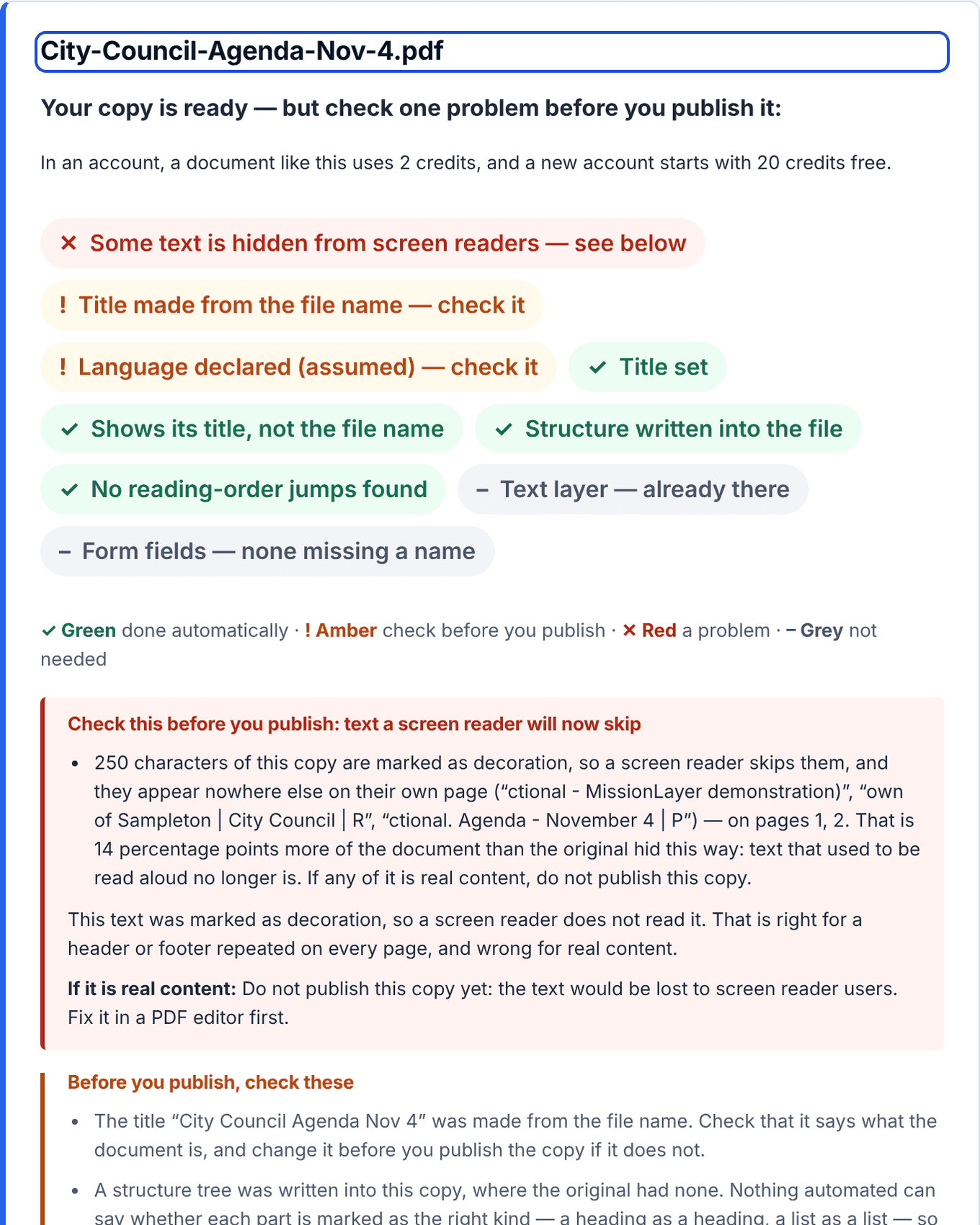
    The free result for a fictional document: a row of coloured chips, each with its mark, saying what was done and what a person should check, and a list of what to check before publishing.
    Shown with fictional Town of Sampleton documents. Open full size
  2. Step 2 of 9 · Try it

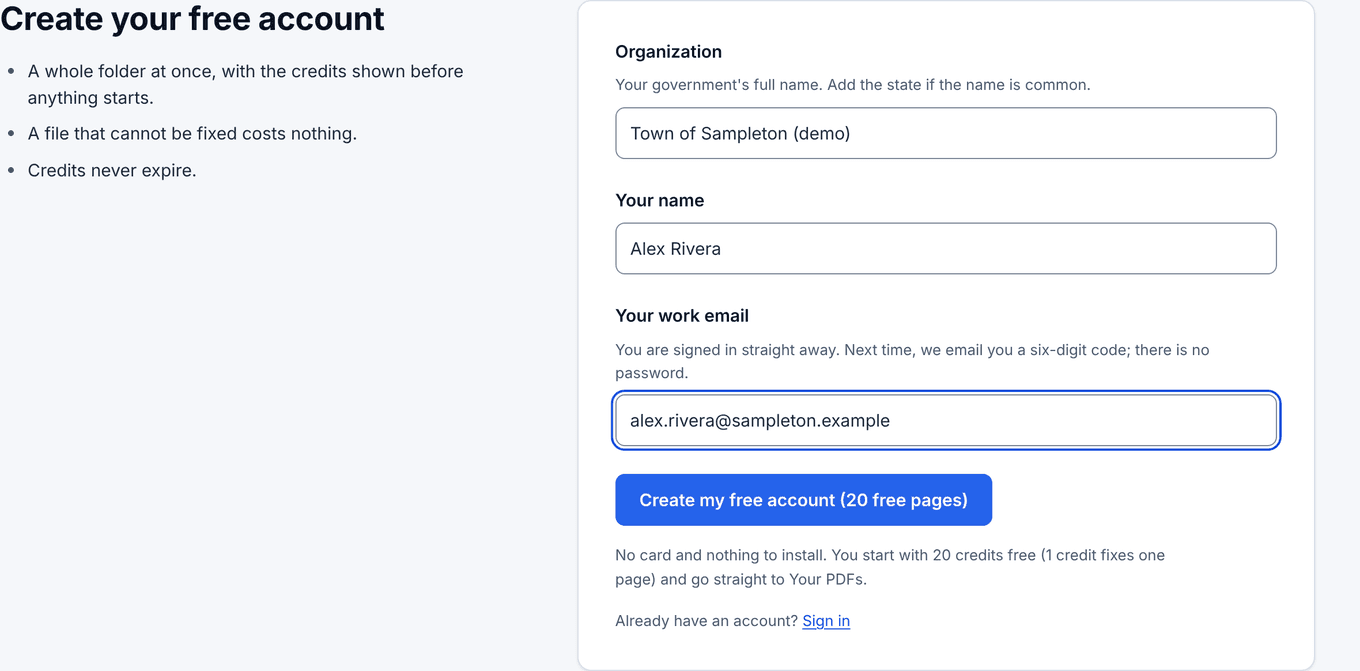
    Step 2: Create your account, with 50 free pages

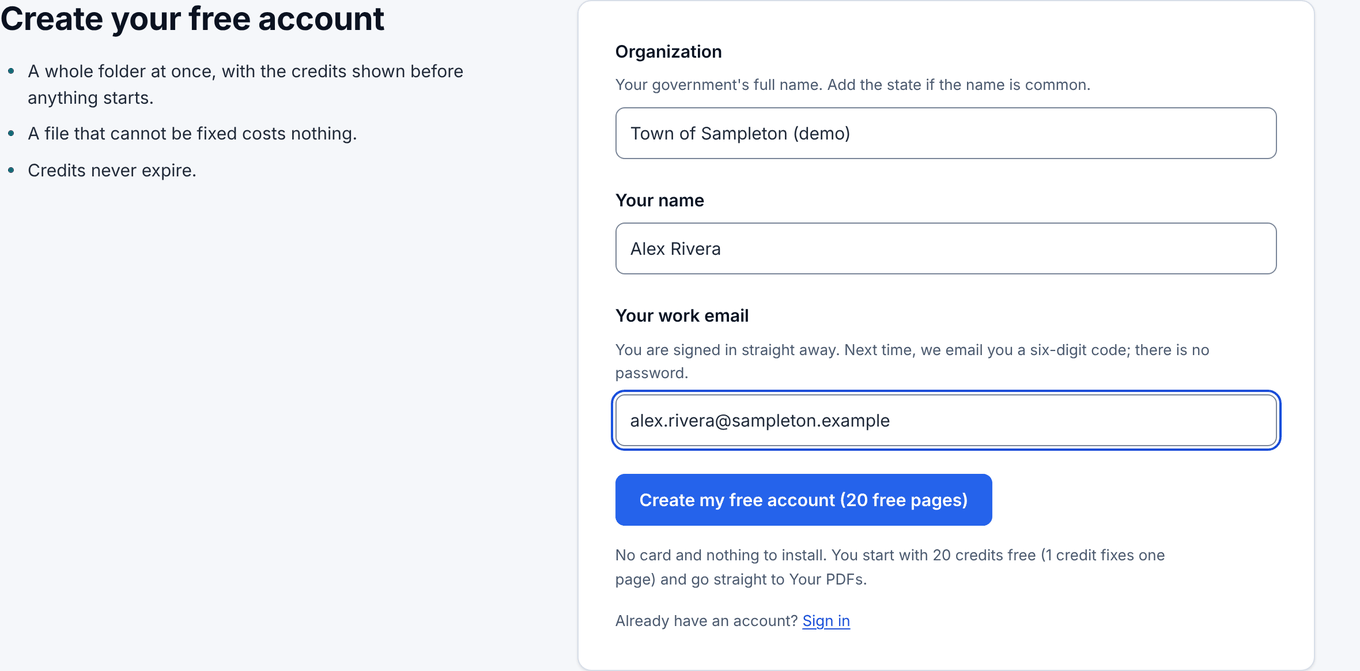
    Give your organization, your name and your work email. No card and no password: you sign in with a six-digit code we email you.

    You land on Your PDFs with 50 credits already in the account. 1 credit fixes one page.

    50 free pages

    The Create your free account form: Organization, Your name and Your work email, and a button that creates the account.
    Shown with fictional Town of Sampleton documents. Open full size
  3. Step 3 of 9 · Fix

    Step 3: Add a folder of PDFs

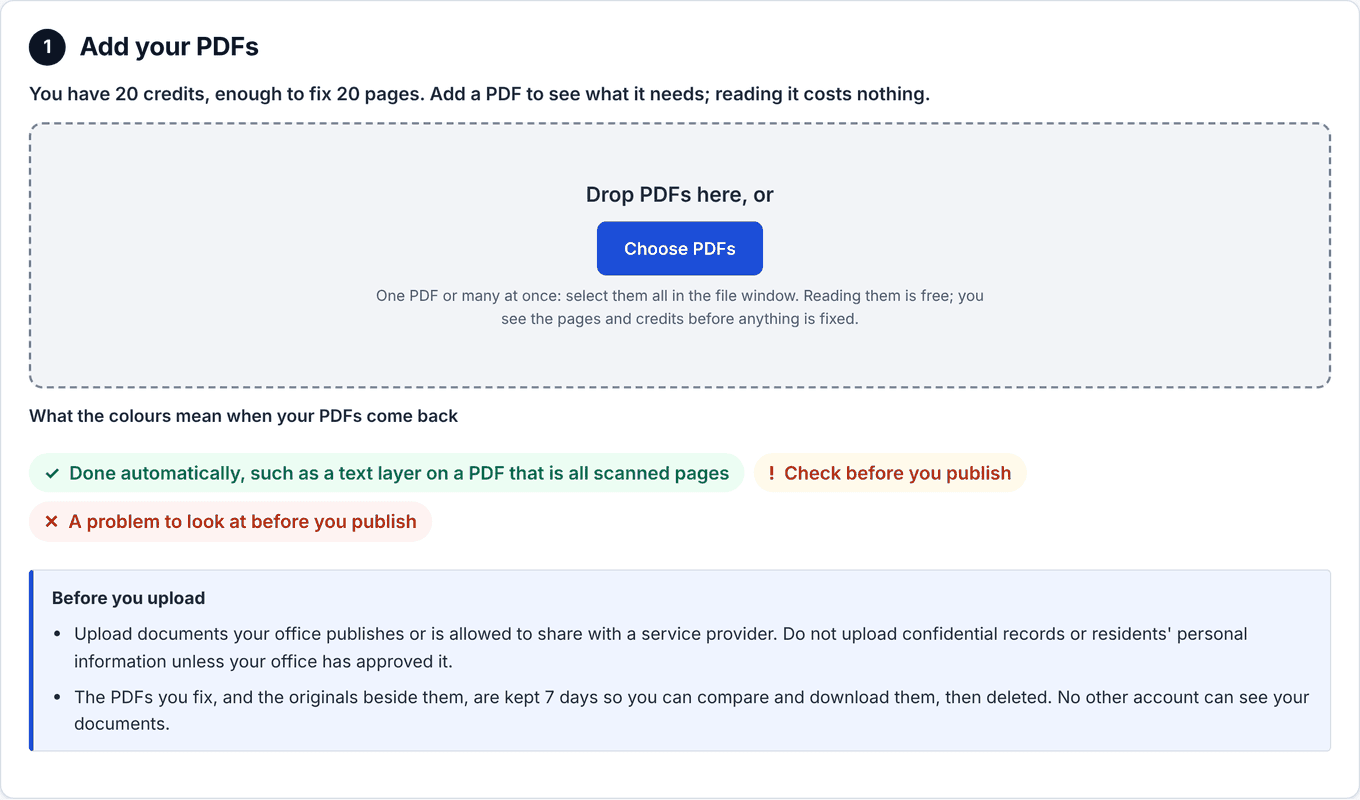
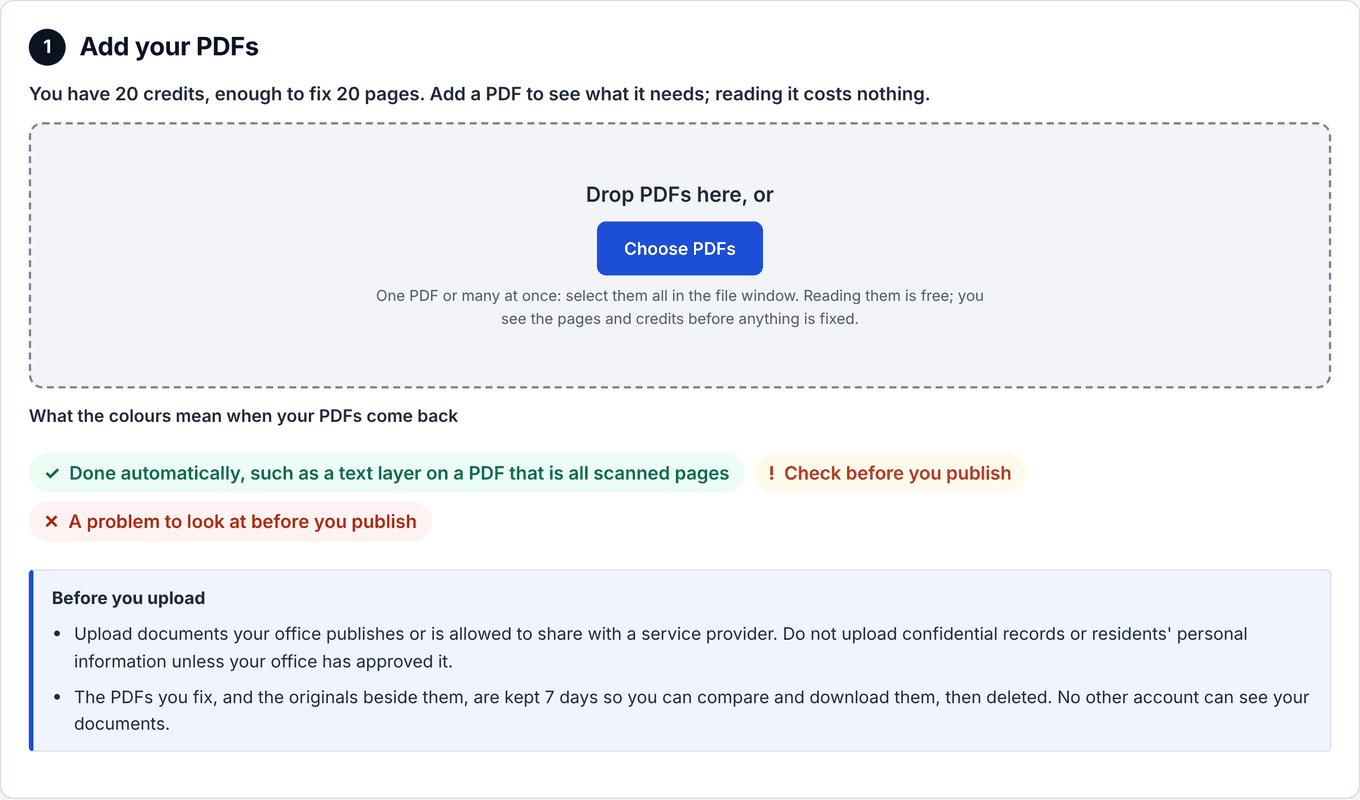
    On Your PDFs, drop a whole folder or choose files. Reading them is free: GovAccess counts the pages and checks that each file can be changed. Nothing is fixed yet.

    Use public or approved documents.

    Reading is free

    Your PDFs with the credits left, a dashed box reading Drop PDFs here, or Upload PDFs, and a note on what to upload and how long files are kept.
    Shown with fictional Town of Sampleton documents. Open full size
  4. Step 4 of 9 · Fix

    Step 4: See the pages and the credits before anything starts

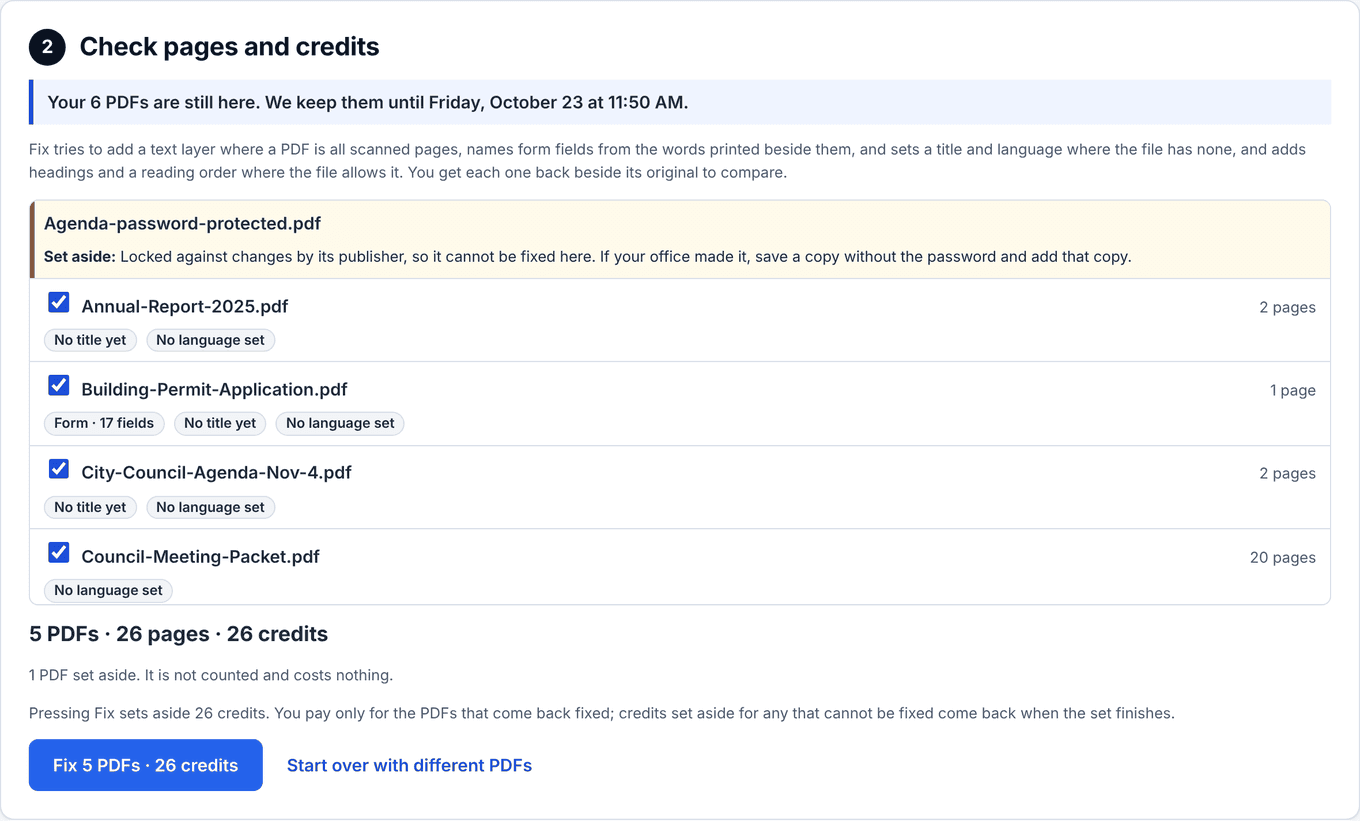
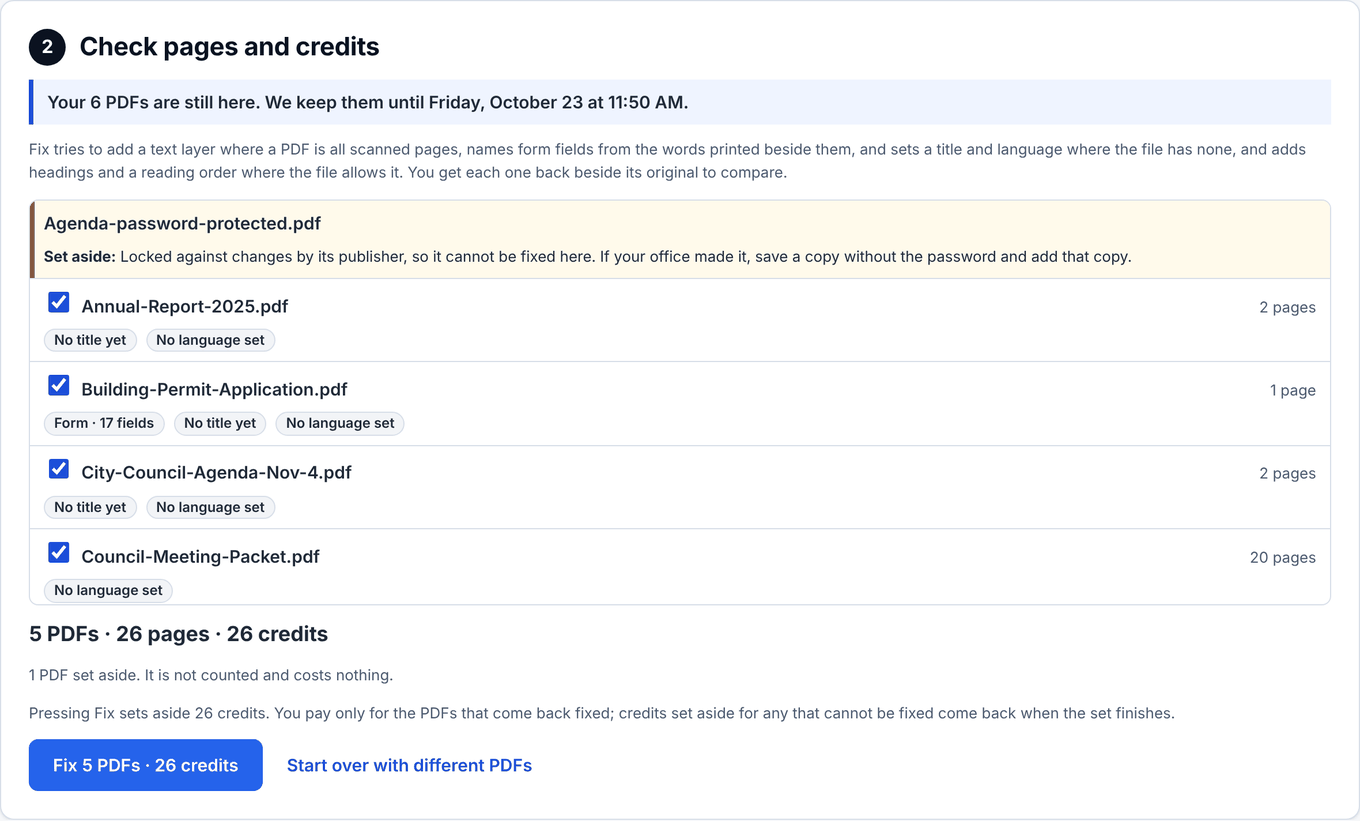
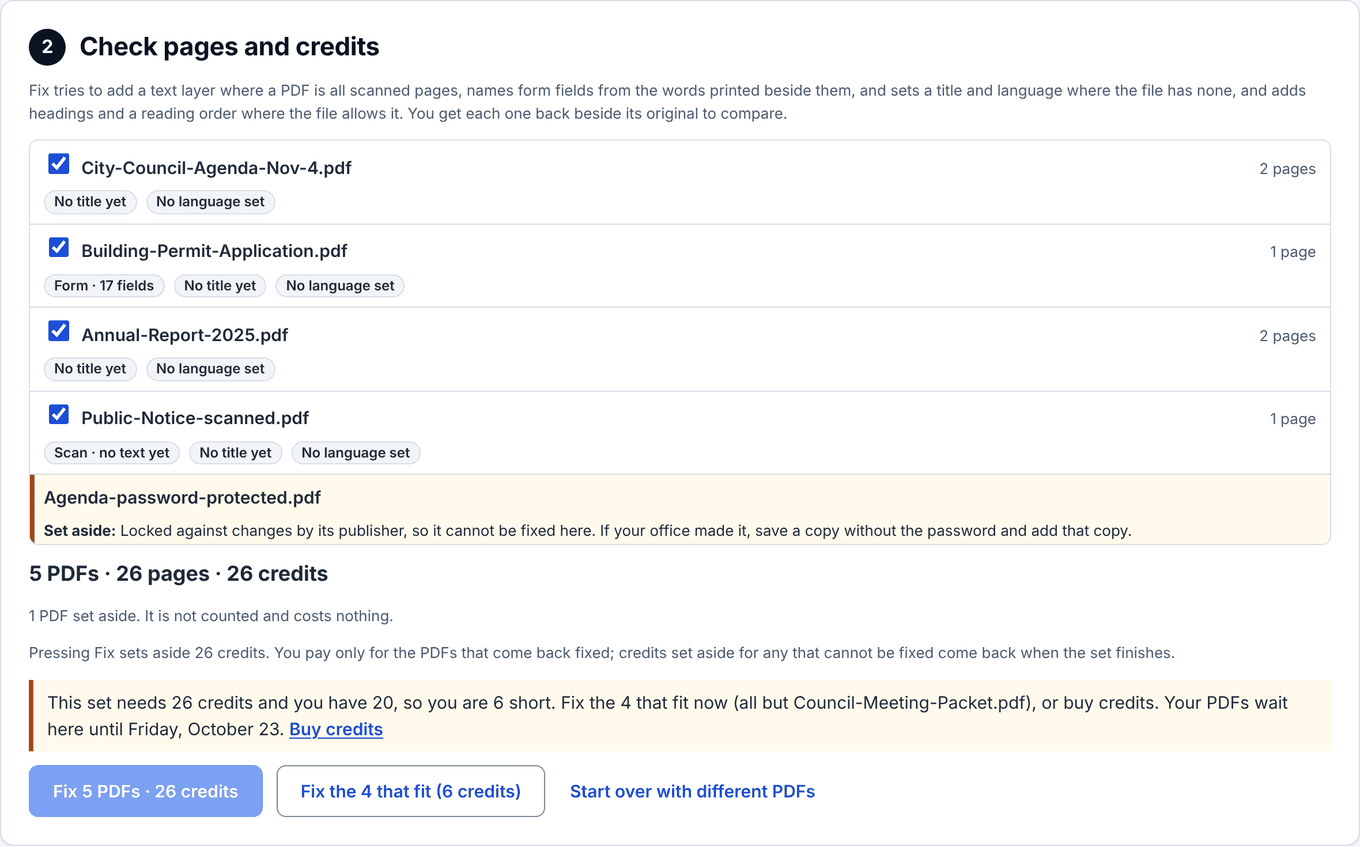
    The next step, Check pages and credits, lists every file with its pages, and the total in credits. A file that cannot be changed — protected by its publisher, or not a readable PDF — is set aside with the reason before anything is spent on it.

    Credits are held only when you press Fix, and settled when the set finishes. A file that cannot be fixed costs nothing.

    Held, not spent

    Check pages and credits: a list of PDFs with their page counts, one set aside because it is protected against changes, the total pages and credits, and the Fix button.
    Shown with fictional Town of Sampleton documents. Open full size
  5. Step 5 of 9 · Only if you need it

    Step 5: Need more credits? Buy a pack

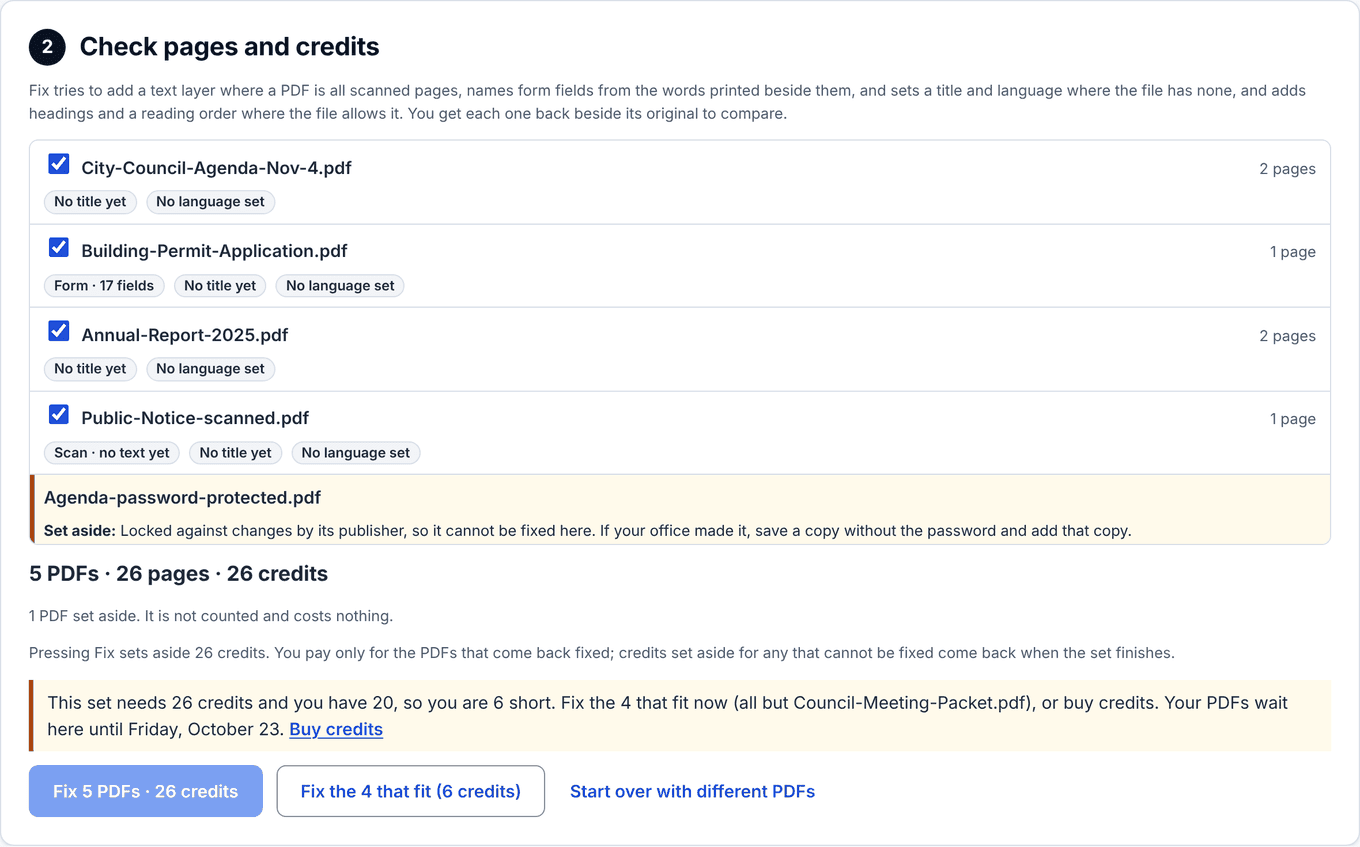
    If a set needs more credits than you have, Fix waits and says how many are missing.

    Pick a pack and you get an invoice, paid by card — a purchasing card included — or by bank transfer, on the same page. The credits arrive when it is paid, about a minute by card, and they never expire. Come back to Your PDFs and your set is still there: press Fix.

    Credits never expire

    Need a quote, a W-9 or a purchase order first?

    Scanning a whole website, or several? Ask us.

    Check pages and credits, with too few credits: an amber line says how many credits the set needs and how many are left, with a Buy credits link, and the Fix button is disabled.
    Shown with fictional Town of Sampleton documents. Open full size
  6. Step 6 of 9 · Fix

    Step 6: Press Fix and follow each file

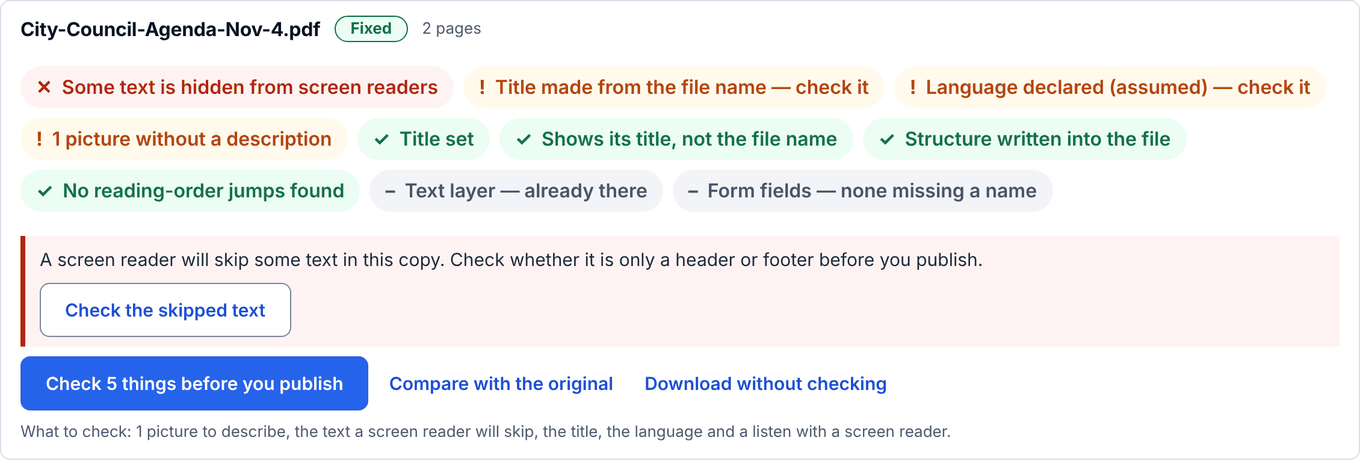
    Each file goes from waiting, to fixing, to fixed — or to could not fix, with the reason and nothing charged. It keeps going if you close the page, and we email you when the set is done.

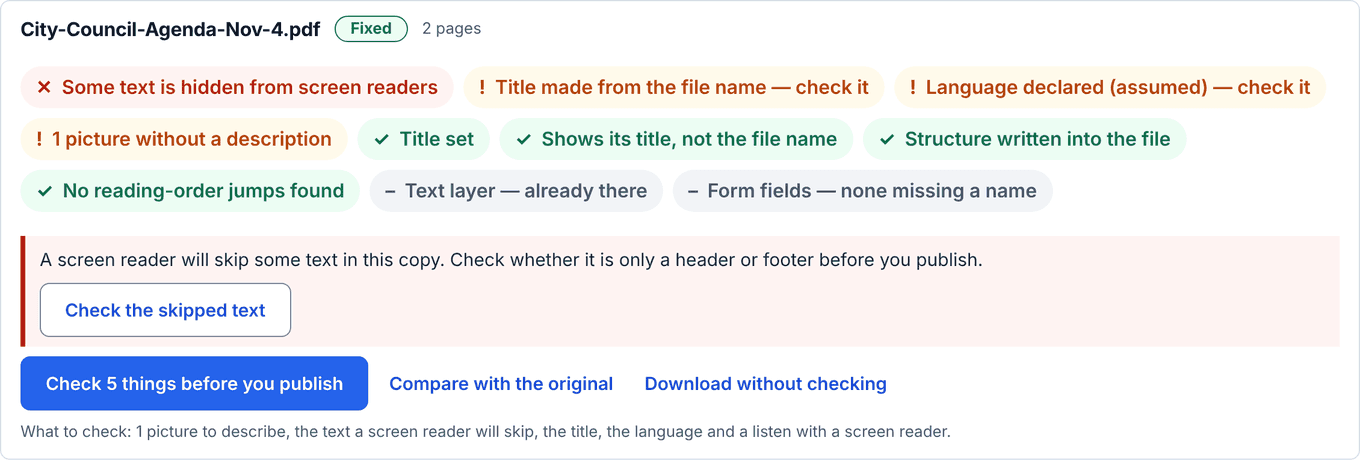
    Every fixed file carries the same coloured chips as the free try, so you can see at a glance which ones need a person.

    Keeps going without you

    Fixed files with coloured chips: green for what was done, amber for what a person checks, and buttons to compare with the original, download, and check what is left.
    Shown with fictional Town of Sampleton documents. Open full size
  7. Step 7 of 9 · Check

    Step 7: Compare the original and the fixed copy

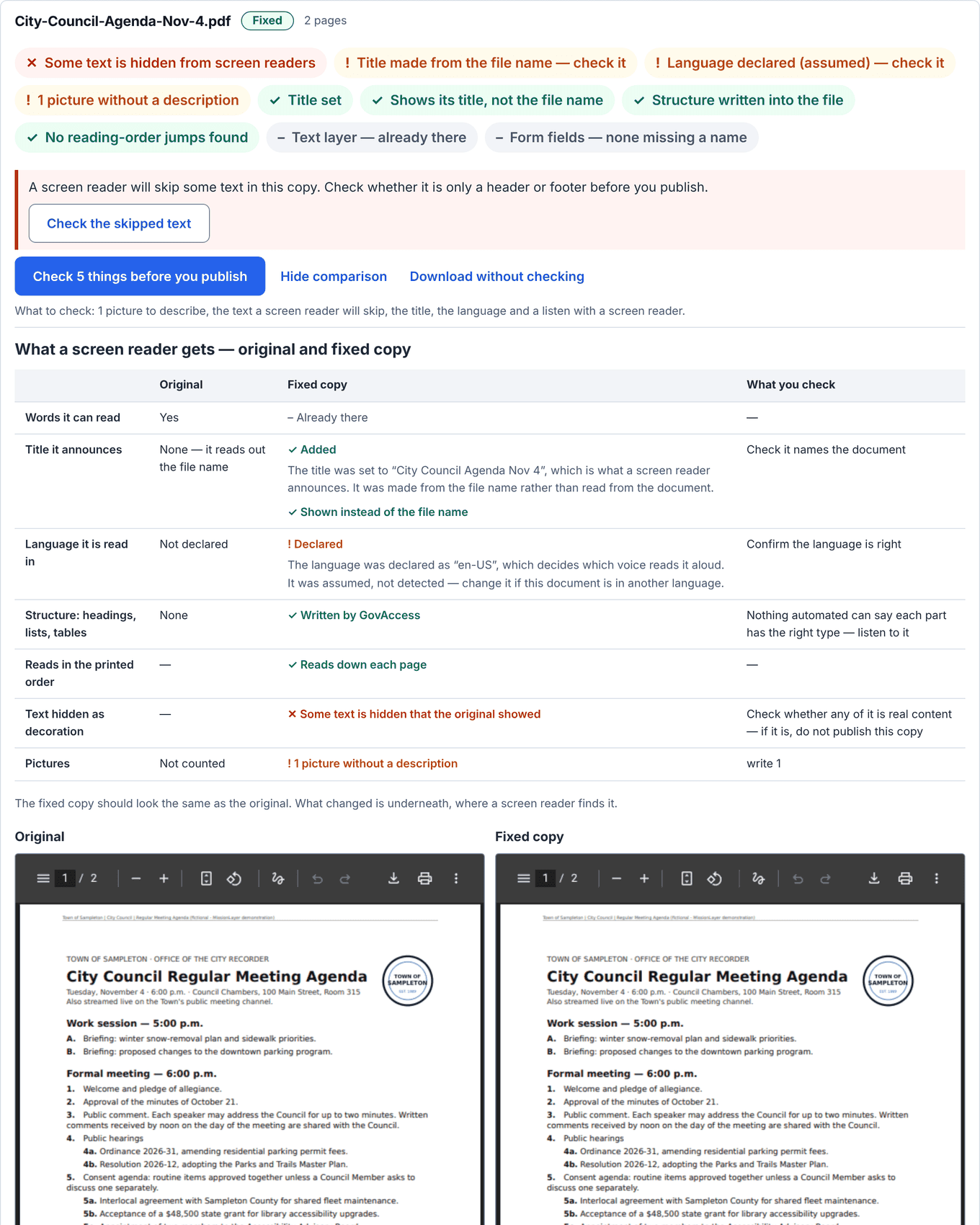
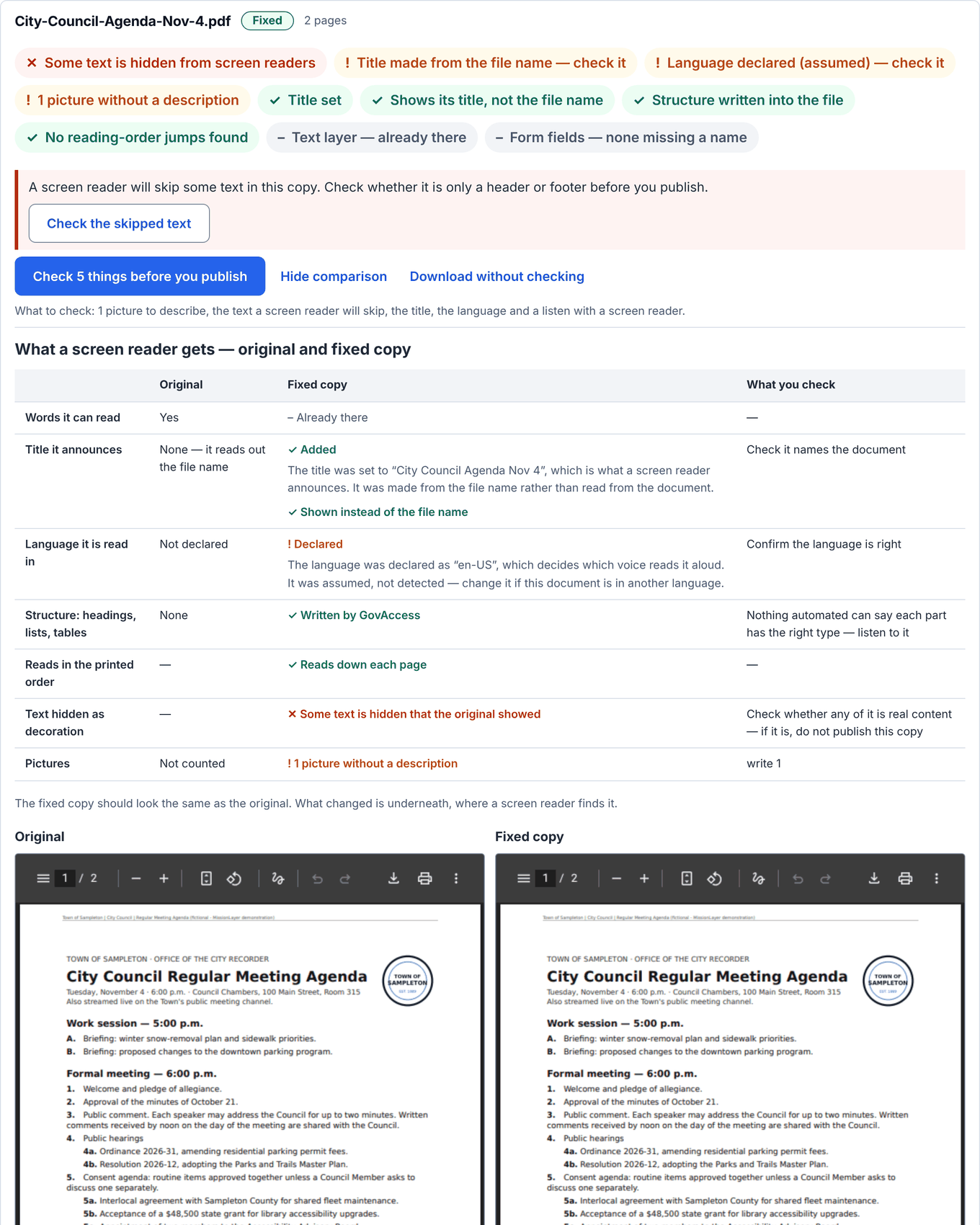
    Compare with the original opens both side by side. The fixed copy should look the same, because what changed is underneath, where a screen reader finds it.

    Below the two, What changed says what was done, and Check before you publish says what a person still has to read.

    Should look the same

    The original and the fixed copy of a council agenda side by side, looking the same, with What changed and Check before you publish listed underneath.
    Shown with fictional Town of Sampleton documents. Open full size
  8. Step 8 of 9 · Check

    Step 8: Check what is left, one card at a time

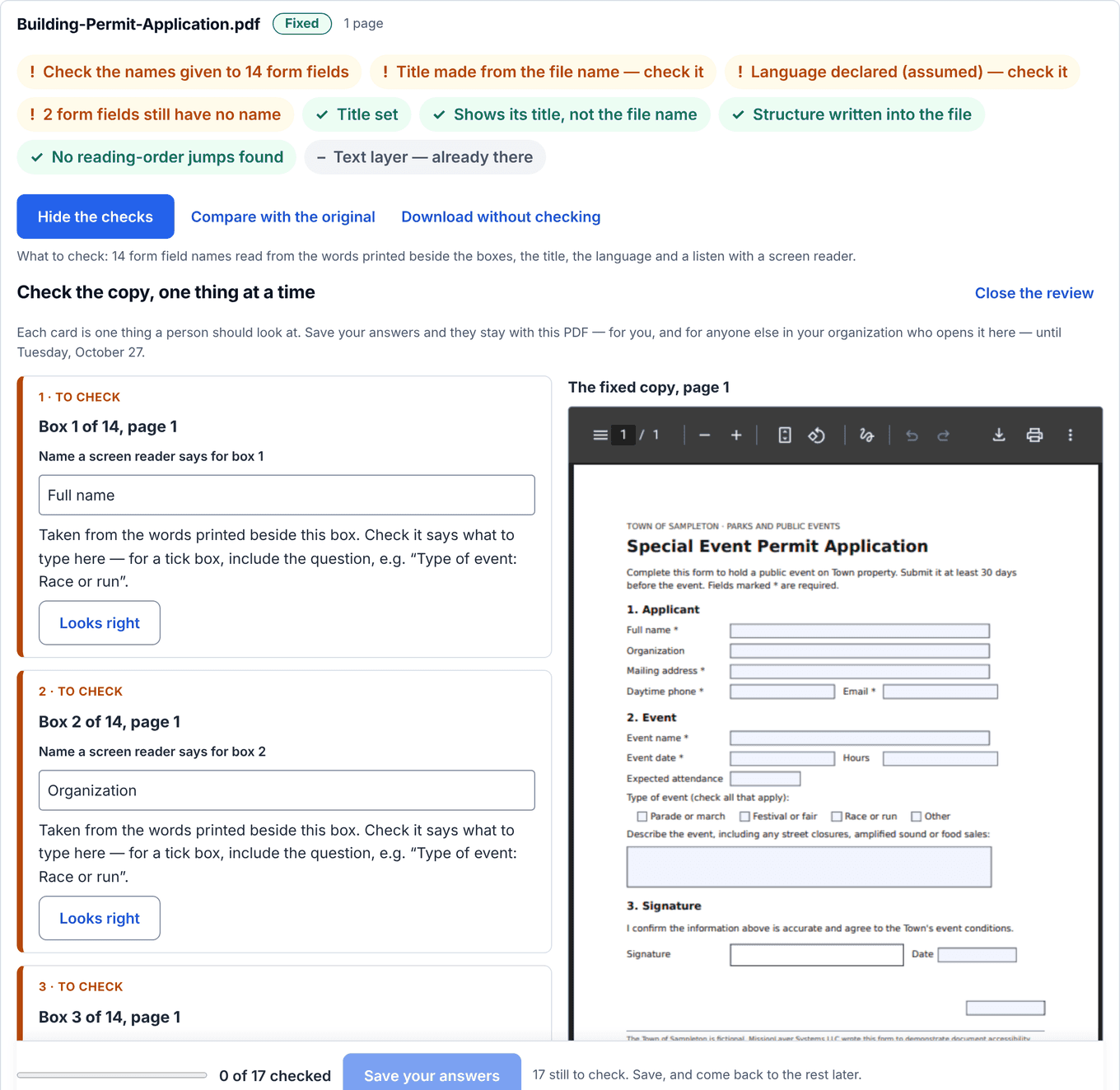
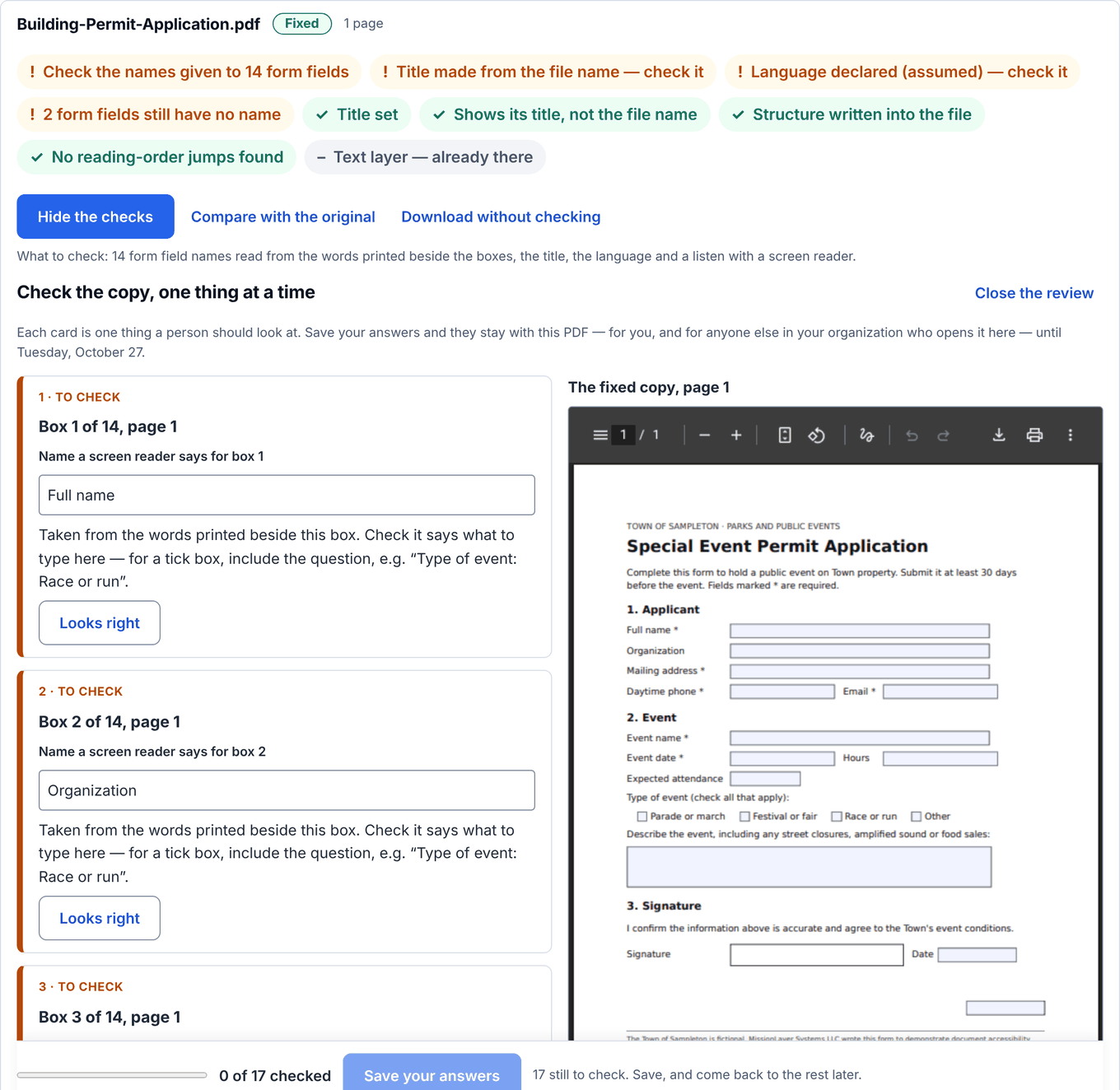
    The review turns each open question into a card: the name a form box will announce, a picture's description, places read out of order, and last, listening with a screen reader. Where the parts of each page and a reading order were marked and your account has picture descriptions on, an AI model proposes them and they are labelled as written by AI.

    Download the reviewed copy and your answers are written into the file. Reviewing uses no credits.

    Uses no credits

    The step-by-step review of a building permit form: one card per form box, each showing the name a screen reader will announce, with a button to confirm it or change it.
    Shown with fictional Town of Sampleton documents. Open full size
  9. Step 9 of 9 · Done

    Step 9: Download one or all, then the next folder

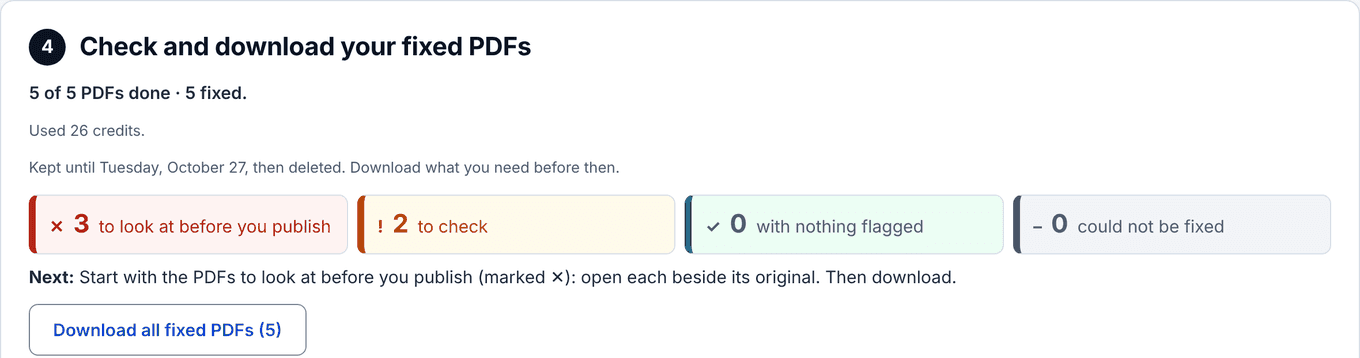
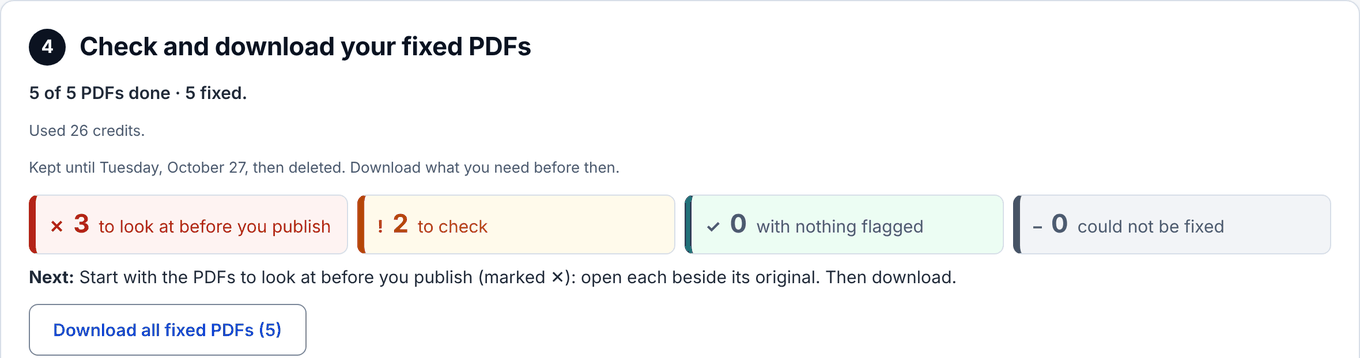
    Download one fixed PDF, or all of them as one ZIP, with a short list of anything that could not be fixed and why.

    The fixed copies and the originals are kept a week after fixing finishes, then are no longer available and are removed within about an hour, so download what you need. Drop the next folder in the same box: your credits carry over.

    Kept a week

    Your fixed PDFs: how many are done and fixed, a full progress bar, the date they are kept until, and a button to download all fixed PDFs.
    Shown with fictional Town of Sampleton documents. Open full size

What GovAccess does

  • Puts words under the pages of a scan with no text at all, so it can be read aloud and searched.
  • Sets a title and a language, and names form boxes from the words printed beside them.
  • Where the file, your account and the service allow it, marks headings, lists, tables and a reading order inside the PDF, then checks that order page by page and lists every place it jumps.
  • Where that structure is written and your account has picture descriptions on, an AI model proposes one for each picture, labelled as written by AI. Nothing else is written by AI.
  • Leaves your original as it was: the fixed copy is a new file.

What it does not do

  • Certify anything, or decide whether your organization meets the ADA. No automated tool can. A fixed copy is easier to read; it is not a verdict.
  • Replace a person. Somebody still reads the copy against the original and listens to it with a screen reader before publishing; the report says exactly what to check.
  • Fix every file. A protected file, a signed one, an XFA form or a scan with no words to read may get no structure, or no copy at all. The report says which, and a file that cannot be fixed costs nothing.
  • Touch your website. Nothing is installed and nothing is published for you.

Where your documents go

  • Into your organization’s account and no other.
  • The PDFs you fix, and the originals beside them, are kept a week after fixing finishes so you can compare and download them. Then both are no longer available, and are removed within about an hour. A record of the work — the file name, the date and what happened — stays, so you can show what was done.
  • Where a structure tree is written and your account has picture descriptions on, each picture in it may be sent to our AI model provider to be described. Turn AI off on the Account page, or for one set of files when you send it, and nothing is sent. How we handle your documents.
  • The free one-PDF try keeps no file: the copy waits for your download and is gone.

When the web rule applies

26 April 2027
Public entities with a total population of 50,000 or more, other than special district governments.
26 April 2028
Public entities under 50,000, and special district governments.

Source: 28 CFR § 35.200(b), as amended by 91 FR 20902 (20 April 2026).

Documents are usually the longest part of the work, and the part that cannot be rushed at the end.

Start with one PDF

See what happens to a document of yours before you decide anything.

Try one PDF freeCreate a free accountAsk us something first